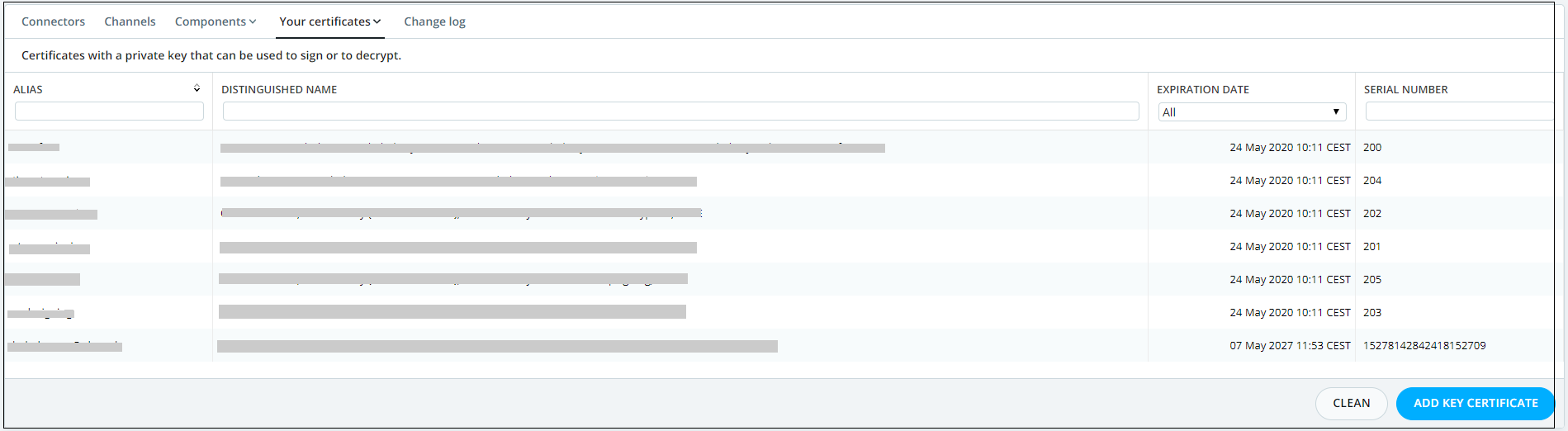
1-From "Certificate" page click on the "Add key certificate" button, as shown below.
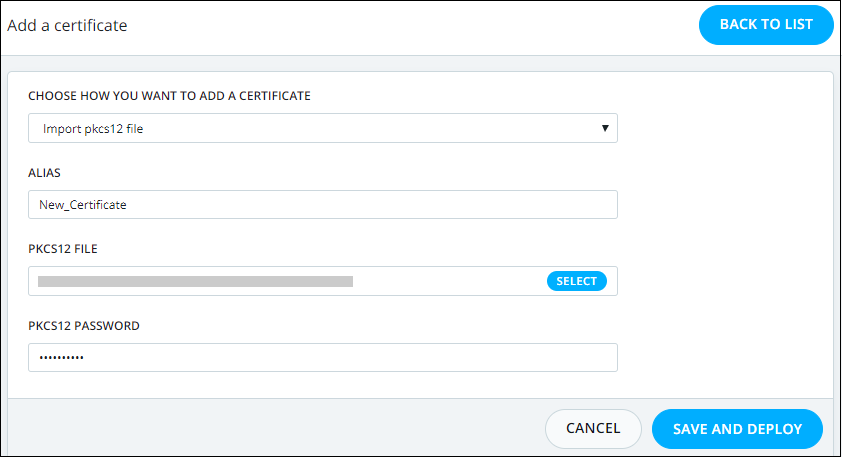
2-Provide the Alias for your certificate then upload the Pkcs12 file and provide its corresponding password, as shown below.
Now the certificate will be displayed in the "Your certificates" tab.
Note: A deployment is required after updating a certificate or adding new certificate in order to push this changes to production.
Choose how you want to add a certificate |
The way you want to add the certificate by uploading Pkcs12 file , or Generating a self signed certificat. |
An alias that you can set to easily identify your certificate. |
|
Upload your Pkcs12 file. |
|
The password required to use your Pkcs12 file. |